Author: Berthy Perez

  • How Much Does a Professional Website Cost in 2026?

    How Much Does a Professional Website Cost in 2026?

    When business owners ask, “How much does a professional website cost in the U.S.?” they are usually expecting a number.

    But the real answer is not a number.

    It is a framework.

    Because in 2026, a website is no longer a digital brochure. It is infrastructure. It is sales architecture. It is automation. It is data collection. It is brand positioning. It is security. It is performance engineering. And increasingly, it is the first point of trust between a company and its market.

    The price depends entirely on whether you are building something temporary or something that compounds in value.

    Let’s unpack this properly.

    The Market Has Changed… Dramatically

    Five years ago, a “good website” meant something visually modern and responsive.

    In 2026, expectations are radically different.

    Google measures performance at a technical level through Core Web Vitals. Consumers expect instant load times. Data privacy regulations are stricter. Cybersecurity threats are more sophisticated. AI tools have raised the baseline for design quality. And advertising costs are higher, which means conversion optimization matters more than ever.

    At the same time, AI website generators can now produce a polished-looking site in under five minutes.

    This creates confusion.

    If AI can build a site for $30 per month, why are agencies charging $15,000?

    Because they are not building the same thing.

    The difference is not aesthetic.

    It is structural.

    The AI Website Illusion

    AI website builders are impressive. They generate layouts, The AI Website Illusion

    Let’s start with honesty.

    AI website builders in 2026 are genuinely impressive.

    You answer a few questions, describe your business, click a button and within minutes you have a polished website. Layouts are clean. Sections are organized. Navigation makes sense. There’s even placeholder copy that sounds surprisingly professional.

    For early-stage founders validating an idea, launching a side project, or needing a temporary online presence, this is wonderful. It lowers the barrier to entry. It removes friction. It makes publishing accessible.

    But here’s where the illusion begins.

    A site that looks complete is not the same as a site that is structurally complete.

    AI-generated websites operate inside shared ecosystems. They rely on standardized backend logic. They use common templates, common design systems, common performance configurations. They run on shared hosting environments where thousands sometimes millions — of other websites exist under the same infrastructure.

    Their security layers are generalized. Not personalized. Not engineered around your specific business model.

    And this matters more than most people realize.

    When thousands of websites share similar structures, vulnerabilities become scalable. If there is a weakness in a plugin, a template layer, or a backend component, attackers don’t need to target your business specifically. They target the pattern.

    Predictable systems are easier to test. Easier to probe. Easier to automate attacks against.

    It’s not that AI builders are “bad.” It’s that they are designed for mass efficiency — not for strategic differentiation or hardened architecture.

    Then there’s performance.

    On AI platforms, you don’t control server configuration. You don’t control deep caching layers. You don’t optimize backend queries. You don’t define how assets are served globally. You operate within preset constraints.

    That works — until it doesn’t.

    Until traffic spikes.
    Until you start running paid ads.
    Until your SEO begins to rank nationally.
    Until users expect instant load times.

    At that point, platform limitations become invisible ceilings.

    AI tools optimize for speed of deployment, not architectural resilience. They are built to get you online quickly — not to future-proof your infrastructure.

    They don’t stop and ask the uncomfortable but critical questions:

    • How will this site scale in three years if revenue doubles?
    • How will it integrate cleanly with a CRM, marketing automation, or custom dashboards?
    • What happens when 5,000 visitors land on the site in one day?
    • How is user authentication handled if we add secure areas or client portals?
    • How do we structure content for long-term SEO dominance instead of short-term indexing?
    • How do we reduce operational friction inside the business?

    AI builds what users see.

    Professional teams build what businesses depend on.

    That’s the cost difference.

    At Neural Nexus, we embrace AI as a tool but not as an architect. We use it to accelerate research, refine workflows, and enhance efficiency. But the system itself? That’s engineered intentionally.

    • We start with business objectives.
    • We map growth scenarios.
    • We design scalable architecture.
    • We build secure backend logic.
    • We integrate CRM and automation layers properly.
    • We structure content for long-term search performance.
    • We optimize performance beyond default platform limits.

    Because a serious business doesn’t just need a website that looks good on launch day.

    It needs infrastructure that still performs three, five, even seven years from now.

    AI builds surfaces.

    We build systems that compound.

    And that difference is exactly why professional websites cost more and why, for growth-focused businesses, they’re worth it.

    The True Cost Ranges in 2026

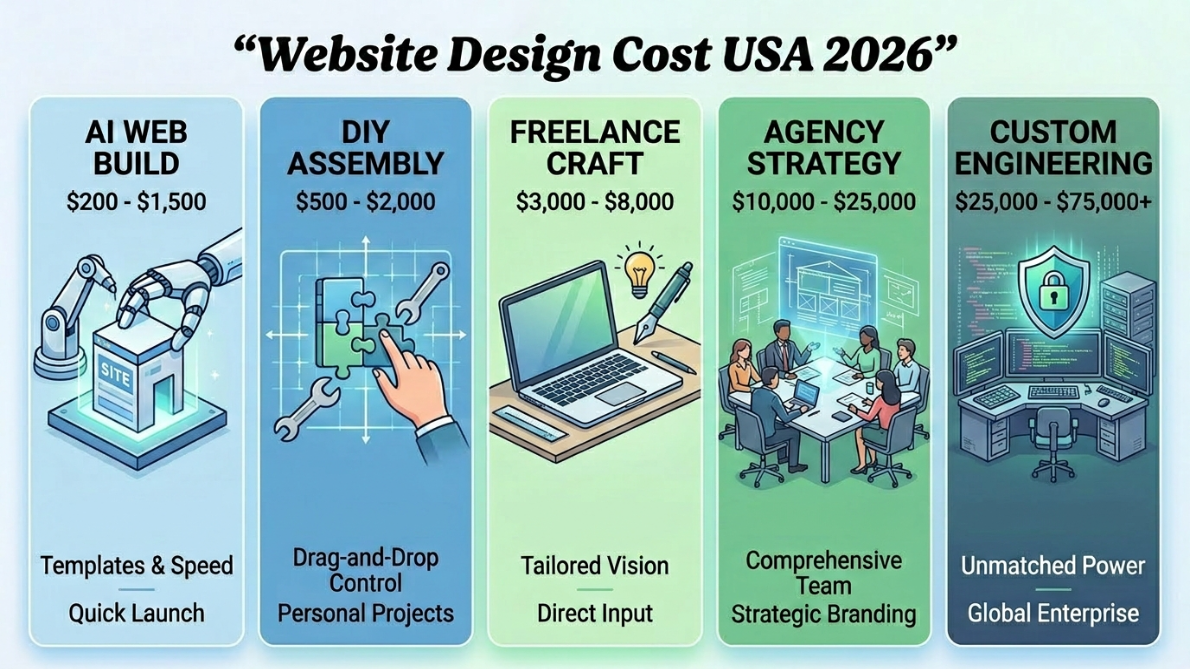
    For U.S. businesses in 2026, pricing typically falls into distinct categories.

    At the bottom end, DIY and AI platforms cost under $2,000 annually. These are suitable for micro-businesses or validation phases.

    Freelancer-built template websites usually range between $3,000 and $8,000. These provide basic customization but often rely heavily on themes and plugins. They can work well for small local companies, but they often require rebuilding within a few years due to technical debt.

    Professional agency builds typically begin around $5,000 and can extend to $30,000. At this level, strategy, UX planning, SEO structure, and performance optimization begin to matter.

    High-end custom development ranges from $15,000 to $75,000 or more. This is where architecture, backend logic, automation systems, and security hardening become central components.

    Enterprise-level platforms exceed $100,000 and can reach several hundred thousand depending on complexity.

    The critical insight is this:

    You are not paying for pages.

    You are paying for decisions.

    Why Security Alone Can Justify Higher Pricing

    In 2026, cybersecurity is not optional.

    Low-cost builds frequently rely on plugin ecosystems with varying levels of maintenance. Many WordPress-based sites, for example, depend on third-party components that introduce vulnerabilities over time.

    Common risks include:

    • SQL injection attacks
    • Cross-site scripting (XSS)
    • Weak authentication systems
    • Inadequate rate limiting
    • Exposed API endpoints
    • Improper server configurations

    When a breach happens, the cost is not just technical repair. It is reputational damage.

    For businesses collecting payment data, medical information, financial data, or customer records, the cost of insecurity far exceeds the difference between a $5,000 and $30,000 website.

    Professional infrastructure involves:

    • Hardened server environments
    • Proper API validation layers
    • Secure authentication architecture
    • Data encryption standards
    • Backup and monitoring systems
    • Structured deployment processes

    This is not visible in the design.

    But it is embedded in the price.

    Conversion Architecture: The Hidden Multiplier

    Another factor most business owners underestimate is conversion engineering.

    A cheap website may look clean and modern. But it often lacks intentional flow.

    • Where does the user land?
    • What is the psychological trigger?
    • Where is the trust reinforcement?
    • When is the call-to-action introduced?
    • Is friction minimized?
    • Is form behavior optimized?
    • Is load speed affecting abandonment?

    These are not design questions.

    They are behavioral economics questions.

    A professional website in 2026 is built backwards from revenue.
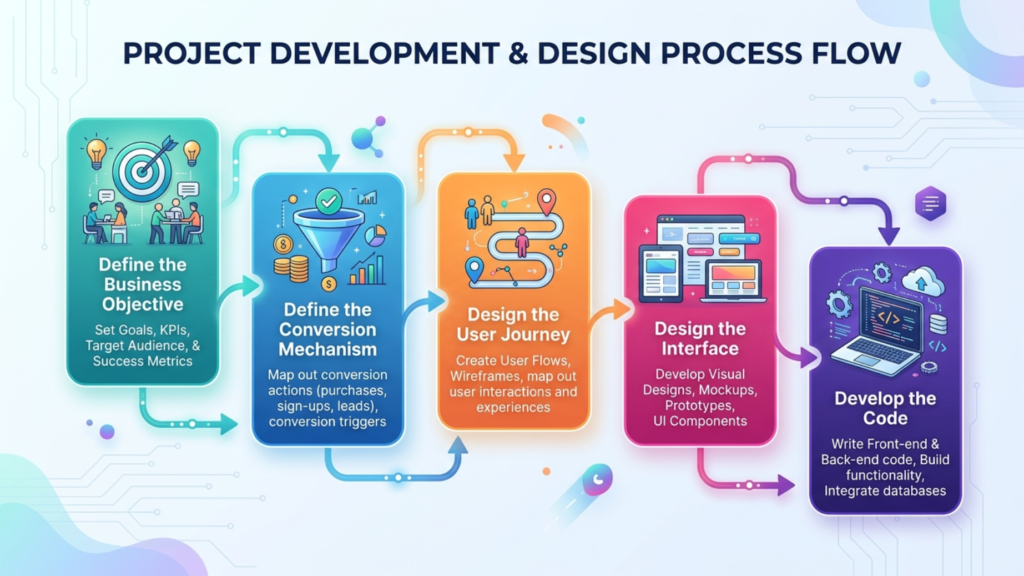
    Custom website development process with frontend code, backend architecture, and design system planning.

    Reversing this order — starting with visuals — is the most common mistake in low-cost builds.

    Why Cheap Websites Often Cost More Over Five Years

    Let’s consider a typical scenario.

    A company invests $5,000 in a template-based site.

    It performs adequately but not exceptionally. After two years, traffic grows. Performance issues appear. Plugin conflicts increase. Security warnings occur. SEO scalability becomes limited.

    Now they need a rebuild.

    The rebuild costs $15,000.

    Total five-year cost: $20,000.

    But they lost two years of optimized growth.

    Compare that to investing $20,000 initially in scalable architecture designed for long-term growth.

    The difference is not price.

    The difference is compounding.

    What Drives Custom Website Development Cost

    Custom website development cost is influenced by several core factors.

    1. Complexity of functionality. A static informational site differs dramatically from a site integrating CRM systems, automation flows, user dashboards, or payment logic.
    2. Performance requirements. High-performance frontend frameworks like React or Next.js require specialized development expertise but enable superior scalability and speed.
    3. SEO architecture. Building structured, scalable keyword ecosystems requires planning at the content and code level.
    4. Security and compliance standards. Industries like healthcare or finance demand stricter protocols.
    5. Design depth. High-end interactive experiences with animation systems, advanced transitions, and dynamic elements require additional engineering time.

    When you understand these drivers, the price range becomes rational rather than arbitrary.

    Why Prices Are Higher in 2026

    If you’ve looked at website pricing recently and thought, “Why is this so much more expensive than a few years ago?” — you’re not imagining it.

    Professional web design pricing in the United States has increased. But not randomly. Not because agencies decided to charge more. And not because design suddenly became harder.

    Prices went up because expectations, risks, and business complexity went up.

    Let’s break down why.

    1. Advertising Is More Expensive — So Conversion Matters More

    In 2026, paid traffic is not cheap.

    Whether you’re running Google Ads, Meta campaigns, TikTok ads, or local service ads, cost-per-click is higher than it was five years ago. In competitive industries, clicks can range from $5 to $50+ depending on niche and geography.

    That changes the equation.

    If traffic is expensive, your website can’t just look good. It has to convert efficiently.

    That requires:

    • Intent-based page structure
    • Psychological flow in layout
    • Strategic placement of trust signals
    • Reduced friction in forms
    • Optimized loading speed
    • Clear CTA hierarchy
    • Structured lead funnels

    A template site doesn’t consider your ad economics.

    A professional build does.

    At Neural Nexus, we design websites backwards from revenue goals. If you’re spending on traffic, your site must perform like a conversion engine — not a digital brochure. That level of thinking requires more planning, more testing, and more engineering.

    And that impacts cost.

    2. Security Threats Are More Sophisticated

    Cybersecurity in 2026 is not optional.

    Automated bot attacks, credential stuffing, API exploitation, scraping attacks — these are everyday realities now. Even small businesses are targets because attacks are automated at scale.

    Five years ago, basic SSL and a plugin firewall were often considered “enough.”

    Today, that’s baseline — not protection.

    Professional websites now require:

    • Hardened server environments
    • Secure API endpoints
    • Authentication flow control
    • Rate limiting
    • Proper role-based access systems
    • Clean dependency management
    • Secure environment variable handling
    • Monitoring and backup architecture

    Security is invisible work. But it’s highly technical.

    Cheap builds skip this depth.

    At Neural Nexus, we design with a security-first mindset — especially for businesses collecting customer data, running payments, or integrating CRMs. We engineer infrastructure that reduces risk, not just surfaces that look secure.

    That added resilience is part of modern pricing.

    3. Performance Expectations Are Stricter

    Users expect instant load times.

    Google enforces Core Web Vitals.

    Search rankings are influenced by performance metrics.

    If your site loads slowly, users leave. If users leave, conversions drop. If conversions drop, ad costs increase.

    Performance optimization is no longer optional polish — it is strategic.

    That means:

    • Optimized frontend frameworks
    • Clean code structure
    • Proper image handling
    • Caching strategies
    • CDN implementation
    • Query optimization
    • Minimal technical debt

    AI builders and cheap templates often operate inside preset performance ceilings. You don’t control deeper optimization layers.

    At Neural Nexus, we build with performance in mind from day one — not as an afterthought. That’s why our sites scale better under traffic and maintain speed even as complexity increases.

    Performance engineering requires expertise. Expertise costs more than drag-and-drop assembly.

    4. AI Raised the Visual Standard

    Here’s something ironic.

    AI actually made professional design more valuable.

    Why?

    Because now anyone can generate a decent-looking layout in minutes. That means “clean and modern” is no longer a differentiator.

    To stand out, businesses now need:

    • Strong brand positioning
    • Strategic UX
    • Custom interaction systems
    • Deeper storytelling
    • Thoughtful hierarchy
    • Differentiated structure

    Surface-level polish is no longer impressive.

    Real differentiation requires intentional design thinking.

    At Neural Nexus, we don’t compete on “looks good.” We compete on strategic clarity and architectural depth. That’s how businesses separate themselves from the sea of AI-generated sameness.

    5. Websites Are No Longer Isolated Projects

    In 2026, your website is not a standalone digital asset.

    It connects to:

    • CRM systems
    • Email automation
    • Analytics platforms
    • Marketing automation tools
    • Payment processors
    • Scheduling systems
    • Internal dashboards
    • Advertising platforms

    It is the operational hub of your digital ecosystem.

    That integration complexity increases development requirements.

    Connecting systems properly — securely and efficiently — requires planning, backend logic, API configuration, testing, and long-term maintenance thinking.

    This isn’t “design work.”

    It’s infrastructure work.

    And infrastructure requires engineering.

    So Why Is Neural Nexus a Strong Solution in This Environment?

    Here’s the part most U.S. business owners don’t realize:

    Compared to major U.S. agencies charging $20,000–$80,000 for similar infrastructure, Neural Nexus is actually extremely competitive often significantly more cost-efficient — while delivering equivalent architectural depth.

    We combine:

    • Strategic planning
    • Modern frontend engineering
    • Secure backend architecture
    • Conversion-focused UX
    • SEO-ready structure
    • Automation integration
    • Long-term scalability

    But without the inflated overhead of large American agencies.

    We are not the cheapest option on the market and we shouldn’t be.

    Serious infrastructure is never built at the lowest possible price. But for the level of architectural depth, performance optimization, security layering, and automation integration we deliver, Neural Nexus remains highly competitive within the U.S. market.

    You’re not paying for corporate office overhead, inflated agency hierarchies, or bloated account-management layers.

    You’re investing in focused engineering.

    We operate lean, strategic, and systems-first. That allows us to deliver infrastructure-level builds without the $40,000–$100,000 price tags often seen at large U.S. agencies.

    And we don’t just build websites in isolation.

    We think in systems.

    From automation workflows to intelligent digital ecosystems, we actively explore and implement tools that increase operational leverage — including AI frameworks that genuinely improve business performance. If you’re interested in how modern AI tools can enhance productivity and revenue beyond just website design, we’ve broken that down in detail in our guide to the Top 8 Best AI Agents That Actually Improve Income or Productivity.

    Because ultimately, a website shouldn’t exist alone.

    It should connect, automate, optimize, and compound.

    That’s what focused engineering delivers.

  • Top 8 Best AI Agents That Actually Improve Income or Productivity

    Top 8 Best AI Agents That Actually Improve Income or Productivity

    Most products calling themselves “AI agents” are still autocomplete with better branding.

    You type.
    They answer.
    Five minutes later, everything is gone.

    That works if your goal is faster emails or cleaner sentences. It breaks down the moment the problem is real work. Decisions stacking up. Leads not followed up. Research half done. Time leaking into tasks that should not require a human brain in the first place.

    The agents in this list are different. Not perfect. Not autonomous in the sci-fi sense. Just structurally useful.

    I have built with them, tested them inside real workflows, or watched them quietly replace work that used to consume hours of attention.

    Before getting into the list, one distinction matters more than any feature comparison.

    Autocomplete vs Real AI Agents

    Autocomplete tools

    • Respond to a single prompt
    • Forget context once the session ends
    • Do not own tasks
    • Helpful, but passive

    True AI agents

    • Break goals into steps
    • Decide what to do next
    • Use tools like files, browsers, APIs, and CRMs
    • Maintain state across actions
    • Can operate with minimal supervision

    Autocomplete saves minutes.
    Agents remove entire categories of work.

    Everything below falls into the second group.

    8. CrewAI: Best for Developers Building Agent Teams

    What it does
    CrewAI lets you build multiple autonomous agents that collaborate on complex tasks using Python.

    Neural Nexus building collaborative multi-agent systems with CrewAI for research and content workflows

    Who it’s for
    Developers, technical founders, and teams who want real control over how agents think and work together.

    CrewAI feels like the first framework that treats agents as roles, not prompts.

    When I tested it, I built a three-agent setup to draft a 700-word internal brief. One agent handled research, another structured the outline, and a third wrote the draft while the first two reviewed and flagged weak sections. The whole thing ran in one pass, with logs showing exactly which sources were used and which decisions each agent made.

    That transparency matters. You can see where things go wrong and fix the workflow instead of guessing.

    CrewAI supports OpenAI, Anthropic, Gemini, and Hugging Face models, and because it’s open source, you can self-host and customize everything. The trade-off is complexity. If you’re not comfortable with Python or debugging multi-agent behavior, this will feel heavy.

    Pricing
    Free tier available. Professional plan start around $25/month.

    7. Auto-GPT: Best option for Exploratory Work

    What it does
    Auto-GPT lets you run autonomous AI agents that take a goal, break it into steps, and execute tasks across tools without constant human input.

    Auto-GPT autonomous agent tested by Neural Nexus for exploratory research and multi-step task execution

    Who is it for?
    Founders, operators, and technical teams who want to test what autonomous agents can do beyond single-prompt interactions.

    Auto-GPT was the first tool that made it obvious where the line is between autocomplete and real agents.

    Instead of waiting for prompts, it plans its own actions, searches the web, evaluates results, and decides what to do next. When you run it locally, you can see the full loop: task creation, execution, feedback, and iteration.

    I’ve used Auto-GPT mainly for exploratory work — market scans, early competitive mapping, and open-ended research where direction matters more than precision. You give it a rough objective, let it run, and come back to something that would normally take hours to assemble manually.

    Running it locally requires Docker, Node.js, and some patience. The official setup script handles most of the friction, but once it’s running, the value is in observing how the agent behaves, not in expecting perfect output.

    Auto-GPT is not production-safe without guardrails. It can chase dead ends, repeat actions, or optimize for completion instead of judgment. But as a learning tool and a way to understand autonomous agent behavior, it’s still one of the most useful reference points in the space.

    Pricing
    Auto-GPT is open source. Costs depend on the models and APIs you connect.

    6. Manus: Best for Persistent, Repeatable Work

    What does it do?
    Manus Projects lets you create persistent workspaces where instructions, files, and context carry over automatically into every new task.

    Neural Nexus using Manus Projects to manage persistent AI workflows and recurring operational tasks

    Who is it for?
    Decision-makers and teams who repeat the same type of work and are tired of re-explaining context every time.

    Manus Projects solves a quieter problem than most agents: setup fatigue.

    The work itself is often repeatable weekly reports, content drafts, competitive analysis, internal reviews but the context usually isn’t. Manus fixes that by letting you define a project once: a master instruction, a shared knowledge base, and a clear scope. Every new task inside that project starts with the right context already in place.

    In practice, this feels less like an “agent” and more like a persistent operating layer. You open a task and the agent already knows how to behave, what files matter, and what standards to follow. No warm-up prompts. No re-uploading documents. No “as mentioned before.”

    I’ve found Manus Projects most useful for recurring workflows where consistency matters more than creativity. Once the project is set up, tasks become execution, not explanation. Teams can collaborate without stepping on each other, since tasks are private by default and only shared intentionally.

    There are limits. Changes to instructions affect current tasks only after your next message, and file updates apply only to new tasks. That’s intentional — it preserves stability — but it means you need to think of projects as versioned workflows, not live mutable states.

    Manus Projects doesn’t try to be autonomous in the Auto-GPT sense. It doesn’t wander or explore. Its value is control: keeping context stable over time so humans and agents stop wasting attention on setup.

    Pricing
    Starting a $20/month

    5. Regie.ai: Best for Consistent Sales Execution

    What does it do?
    Regie.ai acts as an AI-powered SDR layer that handles outbound messaging, follow-ups, and pipeline hygiene across email and LinkedIn.

    Neural Nexus sales workflow powered by Regie.ai for outbound messaging and lead follow-up automation

    Who is it for?
    Revenue teams that already know how to sell but lose deals because humans are inconsistent.

    We use Regie.ai as part of our sales team, not as a replacement for it.

    The biggest issue it solves is not messaging quality. It is follow-through. Leads that should be contacted again are contacted again. Sequences do not stall because someone is busy. Context is carried across touchpoints without relying on memory or perfect CRM discipline.

    In our setup, Regie.ai handles first-touch and early-stage follow-ups. Humans step in once intent is clear. Since deploying it, we have seen outbound reply rates increase from roughly 6 to 7 percent to the 11 to 14 percent range, depending on the segment. More importantly, the number of qualified conversations per rep increased without adding headcount.

    Pipeline velocity improved as well. Deals move faster because leads are engaged on time, not days later. We also saw cleaner CRM data because Regie enforces structure automatically instead of relying on manual updates.

    Regie.ai works best when you already have a defined ICP and messaging baseline. It does not invent strategy. It executes it consistently. If your positioning is unclear, the agent will amplify that confusion. If your positioning is solid, it removes friction from the system.

    This is not an autonomous closer. It is an execution engine. The value comes from doing the boring parts every single time without fatigue.

    Pricing
    Regie.ai pricing is team-based and varies by volume and channels used.

    4. Replit: Best for Turning Ideas into Working Apps Fast

    What does it do?
    Replit lets you build, run, and publish full-stack applications directly from your browser with AI assistance and no local setup.

    Replit development environment used by Neural Nexus to rapidly prototype and test full-stack applications

    Who is it for?
    Founders, operators, and developers who want to ship quickly without dealing with environment setup or infrastructure friction.

    Replit removes one of the most common blockers in software development. Getting started.

    Instead of installing languages, frameworks, databases, and tooling, you open a browser tab and start building. The environment is ready instantly. That alone changes how many ideas actually get tested instead of abandoned.

    What makes Replit more than a cloud IDE is the agent layer. Replit Agent can generate a working application from a plain-language description, wire up dependencies, and surface errors while you build. For simple internal tools or early prototypes, this often replaces hours of setup and debugging.

    We use Replit mainly to validate ideas and unblock non-engineering workflows. Small dashboards, internal utilities, proof-of-concepts. Things that do not justify a full engineering cycle but still need to exist. In those cases, Replit collapses the gap between idea and execution.

    It has limits. Complex production systems still need proper architecture and review. Replit does not remove the need for engineering judgment. What it does remove is friction. Especially at the beginning, where most projects die.

    Replit works best when speed matters more than perfection. As a place to start, test, and iterate, it is hard to beat.

    Pricing
    Replit offers a free tier. Paid plans unlock more compute, private projects, and advanced AI features.

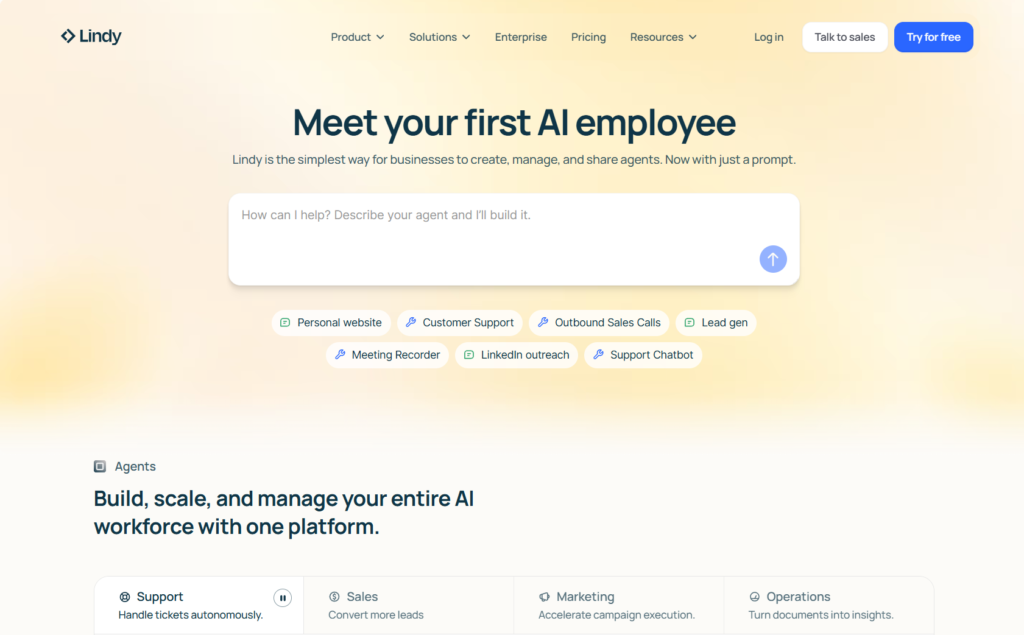
    3. Lindy AI: Best for Simple Agents Without Code

    What does it do?
    Lindy AI lets you build AI agents and automations using prompts and prebuilt tools, without writing code or designing complex workflows.

    Neural Nexus workflow built with Lindy AI for simple no-code automation and research assistants

    Who is it for?
    Non-technical founders, operators, and teams who want to automate straightforward tasks without touching Make, Zapier, or custom scripts.

    I tested Lindy AI for about two months so I could understand where it actually fits.

    The strongest part is how easy it is to get started. You write a prompt, connect the tools you want, and the agent is live. No flowcharts. No logic trees. No debugging for hours. For simple agents, it feels almost too easy.

    One example we tested was a sales call prep agent. Whenever a calendar event contained the word “discovery,” Lindy automatically researched the person using LinkedIn, Crunchbase, and web search. Ten minutes before the call, it sent a clean summary email. That worked out of the box.

    The template library is also genuinely useful. Meeting notetakers, podcast summaries, research assistants. These are not demo templates. You copy them, connect accounts, and they start working.

    Compliance is another quiet plus. Lindy highlights SOC 2 and GDPR clearly. If you handle client data or work with larger companies, that matters more than most people admit.

    Where Lindy struggles is pricing and complexity.

    The credit system creates constant friction. Useful workflows burn credits fast, especially while testing and iterating. I found myself avoiding experimentation because every run felt expensive. That kills curiosity, which is the whole point of agent tools.

    Complex workflows are also not its strength. I tried recreating a larger content system we run on Make and Airtable. It became fragile quickly and consumed credits without delivering the same reliability. For multi-step logic with strict inputs and outputs, traditional automation tools still win.

    Lindy works best as a lightweight agent layer. Research assistants, meeting summaries, simple prep tasks. It is not a replacement for structured automation platforms.

    I would recommend trying it for one month, setting up the templates that match your real work, and watching your credit usage closely. If the pricing model improves, Lindy has the potential to become a default entry point for no-code agent building.

    Pricing
    Free plan includes 400 credits. Paid plans start around $50/month

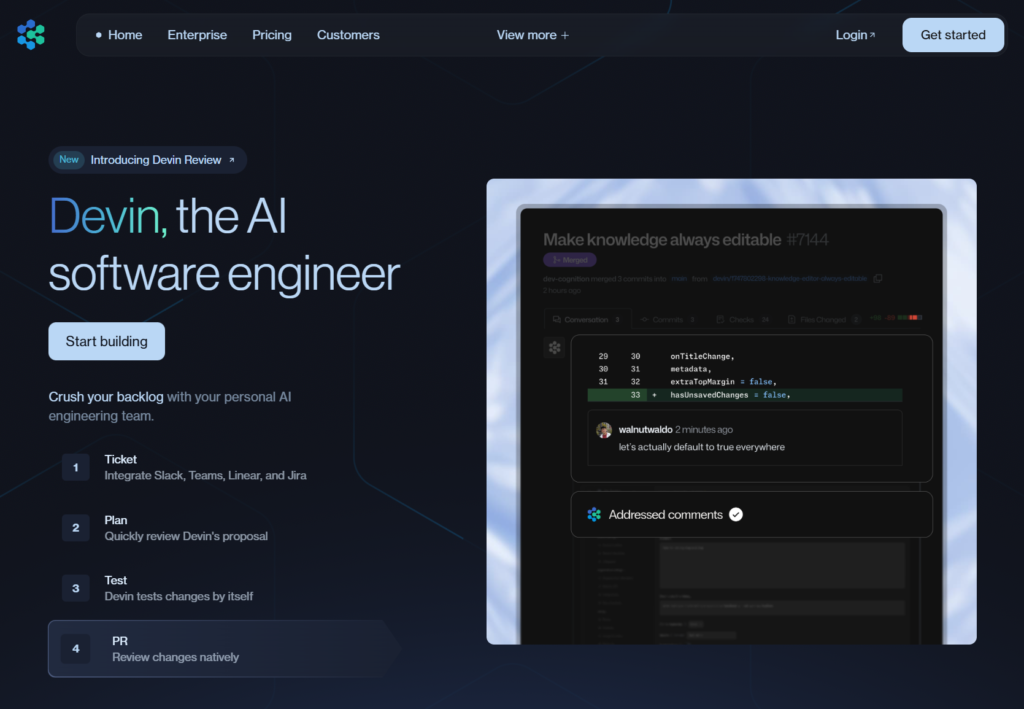
    2. Devin: Best for Owning Well-Scoped Engineering Tasks

    What does it do?
    Devin is an autonomous AI software engineer that can read documentation, write code, run tests, debug failures, and iterate until a task is complete.

    Neural Nexus using Devin autonomous AI engineer to manage and execute software development tasks

    Who is it for?
    Technical teams that want to eliminate low-leverage engineering work without losing control over the codebase.

    We like to joke internally that we fired the junior and hired Devin. Since then, the API keys have stopped leaking.

    Jokes aside, Devin’s real value shows up in the long tail of engineering work. Small fixes, refactors, setup tasks, migrations. The kind of work that still requires a human, but not a senior one, and yet constantly interrupts senior engineers anyway.

    What changes with Devin is ownership. You hand it a scoped task and it actually takes responsibility. It reads the docs, makes changes, runs tests, sees what breaks, and tries again. You are not prompting it step by step. You are supervising outcomes.

    We have found it most useful when paired with clear constraints and review checkpoints. Devin does not replace engineering judgment, but it dramatically reduces context switching. Senior engineers stay focused on architecture and decisions instead of babysitting tickets.

    It is not magic. Poorly scoped tasks still produce poor results. But when the scope is clear, Devin behaves less like a tool and more like a reliable, tireless teammate who never commits secrets to the wrong repo.

    Pricing
    $500/month

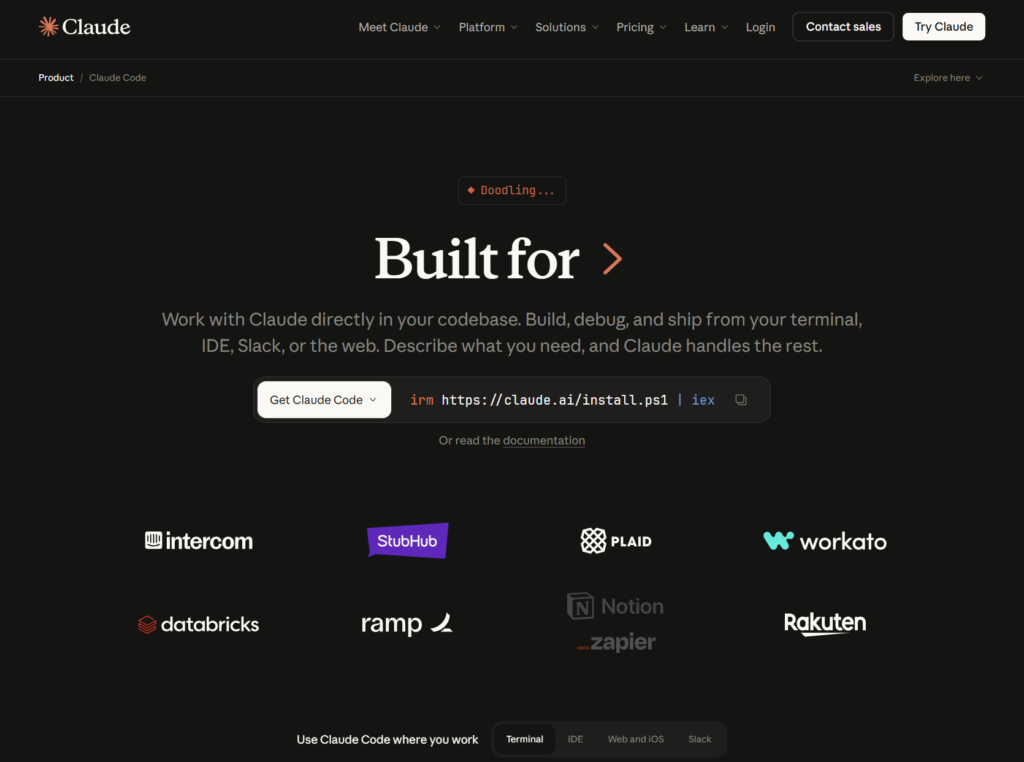
    1. Claude Code: Best for Serious Writing and Research Without Losing Context

    What does it do?
    Claude Code lets you work with AI directly inside a project folder, so it can read, analyze, and edit real files instead of relying on whatever you remember to paste into a chat.

    Claude Code used by Neural Nexus for long-form writing and research across multiple project files

    Who is it for?
    Decision-makers, writers, and researchers who work on complex topics and are tired of managing context manually.

    I did not start using Claude Code because my writing needed help. I started using it because my patience ran out.

    Before Claude Code, every serious article followed the same pattern. Open ten PDFs. Lose track of where that one important quote lives. Re-explain the project to an AI that immediately forgets it. Spend more time organizing than actually writing. At some point you start wondering if the real job is writing or babysitting context.

    Claude Code flipped that.

    The first time it proved useful was on a research-heavy piece with conflicting sources. Instead of summarizing everything myself, I pointed Claude Code at the folder and asked it to help structure the argument. It read the files on its own, flagged contradictions I had glossed over, and suggested an outline that actually reflected the material instead of forcing a generic framework.

    The quiet advantage is not better prose. It is continuity.

    Claude Code sees the whole project. Drafts, notes, references, half-finished ideas. You stop doing the copy paste ritual and stop reintroducing your own work like it has never seen it before. It feels less like chatting with an AI and more like working with someone who has already read the brief.

    There is also a running joke on our side. Claude web is the creative friend you brainstorm with at a café. Claude Code is the one who shows up at the office, reads everything, and reminds you that two of your sources contradict each other before you embarrass yourself in public.

    I do not use Claude Code for quick ideation. I use it when the work has weight. Long-form writing, deep research, anything where starting from zero each session would quietly destroy momentum.

    It is not about speed. It is about not losing your place.

    Pricing
    Claude Code usage depends on your Claude plan and how heavily you use it with large projects and files.

    My final thoughts

    After working with these tools for a while, one thing becomes very clear very quickly: the problem was never that we lacked intelligence, creativity, or even speed. The problem was that too much of our time was being spent holding work together manually. Remembering context. Repeating instructions. Following up on things that should have been followed up on automatically. Re-doing work because the system forgot what happened last time.

    Autocomplete makes those moments slightly less painful. It helps you phrase things better, faster, cleaner. That has value, but it does not change how work actually flows. You are still the glue. You are still the memory. You are still the one making sure nothing drops on the floor.

    The agents in this list changed that dynamic, not because they are smarter, but because they take ownership of parts of the process that humans are bad at sustaining. They do not get bored. They do not forget. They do not quietly decide that a follow-up can wait until tomorrow and then disappear for a week.

    That is the real leverage.

    Some of these tools are rough around the edges. Some are expensive enough to make you pause. Some will absolutely go off the rails if you give them vague instructions and too much freedom. That is not a flaw. That is a reminder that they are systems, not magic. They need structure. They need constraints. They need someone to care about outcomes instead of steps.

    Once you approach them that way, the relationship changes. You stop asking them to be impressive and start asking them to be reliable. You give them the work you never wanted to do, but always had to do. And slowly, without much drama, your attention comes back to you.

    We still brainstorm in chats. We still argue about strategy. We still review code before it goes live. We still sell to humans, not dashboards. None of that goes away.

    What actually disappears over time is not effort, but noise. The low-grade mental hum of unfinished tasks, half-remembered context, and work that keeps tapping you on the shoulder while you are trying to think about something else. Once that goes away, you realize how much energy you were spending just keeping things from falling apart.

    That is why the jokes land. We joke that we fired the junior and hired Devin because API keys stopped appearing in places they never should have. For the avoidance of doubt, we do have a junior position open. Devin just happens to be very good at the parts of the job that benefit from never forgetting a checklist and never getting bored halfway through.

    We joke that Claude Code feels like the developer who actually read the brief, mostly because it keeps pointing out contradictions before we publish something and have to pretend it was intentional. And we joke about agents working while we sleep, not because it sounds futuristic or clever, but because it is quietly true. You wake up and the work has moved forward instead of waiting where you left it.

    None of this means humans stop being involved. We still make the decisions that matter. We still review, argue, change our minds, and occasionally ignore good advice. The difference is that we are no longer spending our best attention on things that should have been handled by a system in the first place.

    The goal is not to build an army of agents. That usually ends in chaos and a lot of dashboards nobody looks at. The goal is to identify the one or two workflows that drain disproportionate energy and replace only those. When that works, productivity stops feeling like pressure and starts feeling like relief.

    That is what real AI leverage looks like in practice. Not flashy. Not loud. Slightly messy. Extremely useful.

    Everything else is still just autocomplete, no matter how confident it sounds.